
Cozy living room
Soft light and a relaxed home setting give the paw-clapping moment a warm, everyday feel.
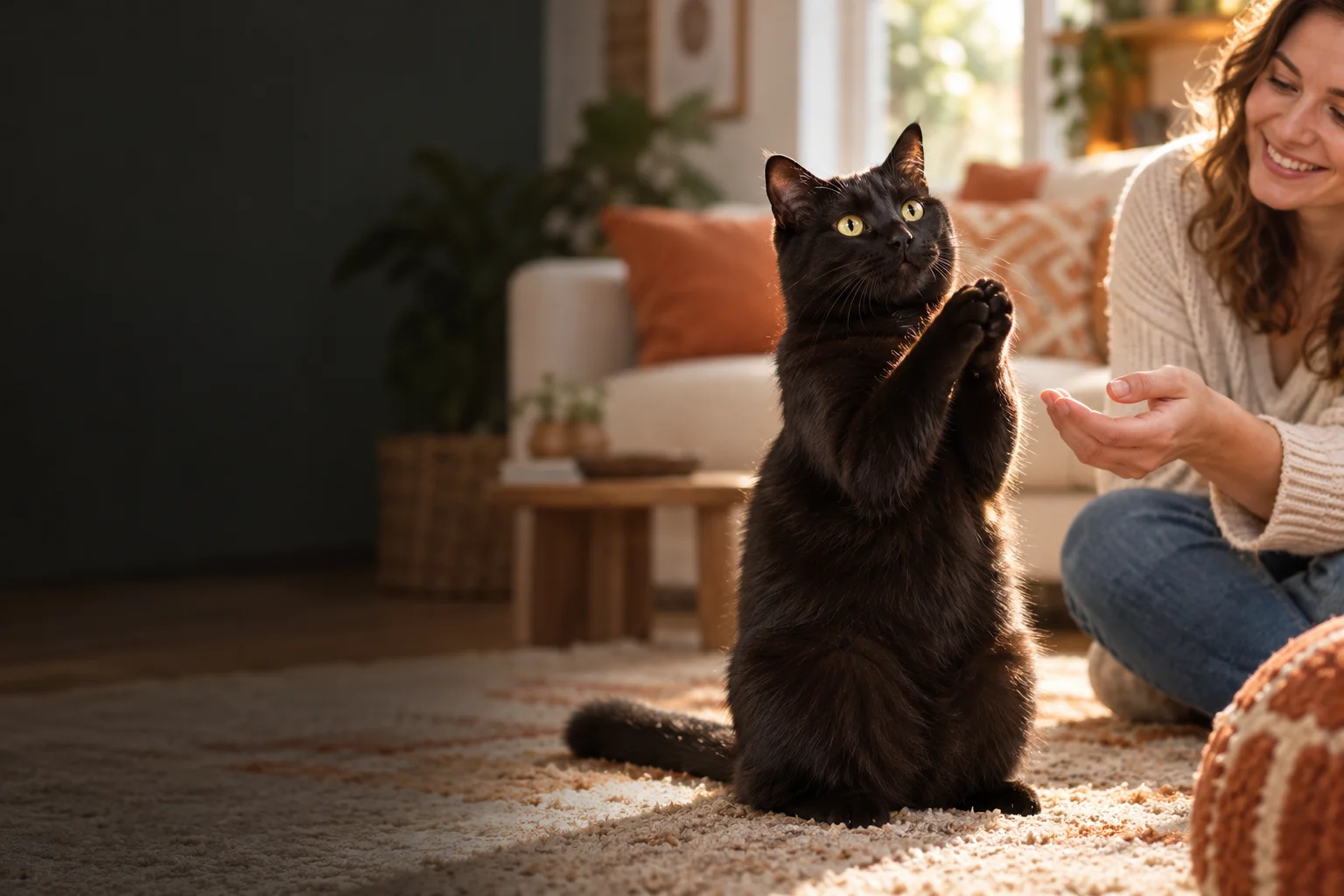
Photo to playful paws
Give your cat photo a little round of applause. Make a short paw-clapping clip or a playful cat-and-owner story, with a scene, format, and AI model you choose.
AI concept illustration. This image is not a generated video result.
Cat clapping video maker
Upload a cat photo, choose a scene and create a playful AI cat clapping video. Add a separate owner photo for a shared moment.
Your cat’s clapping moment starts here
Your finished AI video will appear here. Choose your photos and scene to begin.
AI concept artwork for illustration. This image is not a generated video or a guaranteed result.
Set the scene
Choose a scene preset in the maker above. Keep the moment cozy, bright, or focused on your cat’s paws and expression.
Soft light and a relaxed home setting give the paw-clapping moment a warm, everyday feel.
A cheerful kitchen backdrop fits the treat-and-reaction story, especially when the owner joins in.
Airy daylight and a secure balcony setting create a lighthearted outdoor mood without a busy background.
Use the Black Cat Clapping AI Video Maker preset for clear paw and face contrast. It asks the AI to preserve the uploaded cat’s coat, rather than recolor it.
The 10-second story guides a small comedy from treat anticipation to a friendly finish. Choose cat + owner mode for the full interaction, or keep the spotlight on your cat.
A curious look sets up the snack-time moment. In owner mode, the person offers the cat a playful treat tease.
The owner gives a gentle shushing gesture. In cat-only mode, a brief attentive pause carries the beat without a person or hand.
The cat lifts its front paws for a playful clapping motion—the central moment of your new meme clip.
Cat + owner mode ends with a small paw handshake. Cat-only mode ends with the cat holding its paws together.
Choose 5 seconds for a focused clapping moment. These beats guide the AI; exact gestures, timing, and likeness can vary between generations.
Three simple steps
Your cat does not need to know the trick. Start with a clear reference, choose the scene, and let AI interpret the motion.
Use a sharp cat photo with a clear face, visible front paws, and room around the body. For a duo, select cat + owner and add a separate owner photo you have permission to use.
Pick one of four scenes, a 5-second clap or 10-second story, portrait 9:16 or landscape 16:9, and the default Seedance 2.5 model or Kling Standard or Pro. Review the displayed credit cost before generating.
Follow the generation status and review the finished clip. Full videos generated with credits can be downloaded; free previews can be watched in full and unlocked with credits to download the same video. Return to your signed-in video history to find the task again.
A little applause can say congratulations, nice job, or finally. Make the cat’s expression the focus, then add your own caption in an editor after downloading a full video generated with credits. Portrait 9:16 suits a phone-first composition; landscape 16:9 leaves more space for the cat and owner together. The generator produces a silent video, so add audio afterward only when you have the rights to use it.
For a cat clapping video maker from photo, a front-facing or slight three-quarter view is a useful starting point. Avoid paws hidden behind furniture, heavy motion blur, and tightly cropped ears or legs. Use even light for a black cat so the face and paws remain distinct. The scene prompt requests the original coat and markings, but AI can still change details or create imperfect paw motion.
Use a 5-second clip for a compact reaction or a playful pet greeting. Choose the 10-second story when you want a small snack-time setup, pause, clap, and ending. A separate owner reference gives the AI a person to include in duo mode; cat-only mode omits human gestures. Keep any extra direction simple and review each result before sharing, particularly faces, paws, and the final interaction.
Compare prepaid credits for AI image generation, prompt-based editing, and image-to-video clips. Video credit costs increase with duration. Credits last 365 days with no auto-renewal.
A 5-second cat clapping video uses — credits with Kling Standard or — credits with Kling Pro. A 10-second clip uses twice the credits. Your exact cost appears before generation.
Starter
For first projects and occasional creative work
Creator
For regular image and video creation
Studio
Best value for teams and high-volume production
Before you press generate
It is a photo-to-video tool that uses AI to animate a cat reference into a playful paw-clapping clip. This Cat Clapping Video Maker offers four scene presets, a short clap or longer story, and an optional owner reference for a shared scene.
Choose a clear photo with the cat’s face and front paws visible, preferably with space around the body. Even lighting, a simple background, and limited blur help provide a useful reference. AI motion and likeness may vary, so review the paws, markings, and expression in the result.
Yes. Choose cat-only mode and upload just the cat photo. It omits a person and human hand interactions; the 10-second story ends with the cat’s paws together. Select cat + owner and add a separate owner reference if you want the shushing gesture and final paw handshake.
The Black Cat Clapping AI Video Maker preset emphasizes lighting and contrast for a dark coat. Its prompt asks the AI to preserve the uploaded cat’s coat and markings, so it does not intentionally turn a different cat black. For any preset, details can still vary in an AI-generated result.
Choose a 5-second clapping moment or a 10-second story, portrait 9:16 or landscape 16:9, and the default Seedance 2.5 model or Kling Standard or Kling Pro. Scene choices are living room, kitchen, balcony, and black cat focus. The generator displays the credit cost for your selected model and duration before submission.
The generated clip is silent. Completed full videos generated with credits can be previewed and downloaded; free previews can be watched in full and unlocked with credits to download the same video. Find both in your signed-in video history. If you want music, captions, or sound effects for a full video, add them afterward in an editor using material you are allowed to use.
Sign in for one free full-length, 480p silent preview per account, shared across all video tools on this site. The preview duration is shown in the generator. Watch the complete clip with a preview watermark, then spend the displayed credits to unlock the same video for download without the preview watermark. No new generation is needed to unlock it. If generation fails, you can retry without using up your free preview. Longer videos and higher quality are available through a separate paid generation. Sign in to generate and manage your video history. Full video generation uses credits based on the selected model and duration; review the estimate in the generator and the available credit packs below. A 10-second video costs twice as many credits as the corresponding 5-second model option.
Upload cat and owner photos you have permission to use. Review the AI-generated result before sharing, and respect the rights of anyone shown.