
01
Walk into the scene
Your character steps into frame with relaxed confidence. The photo guides the face, hair, clothes and accessories.
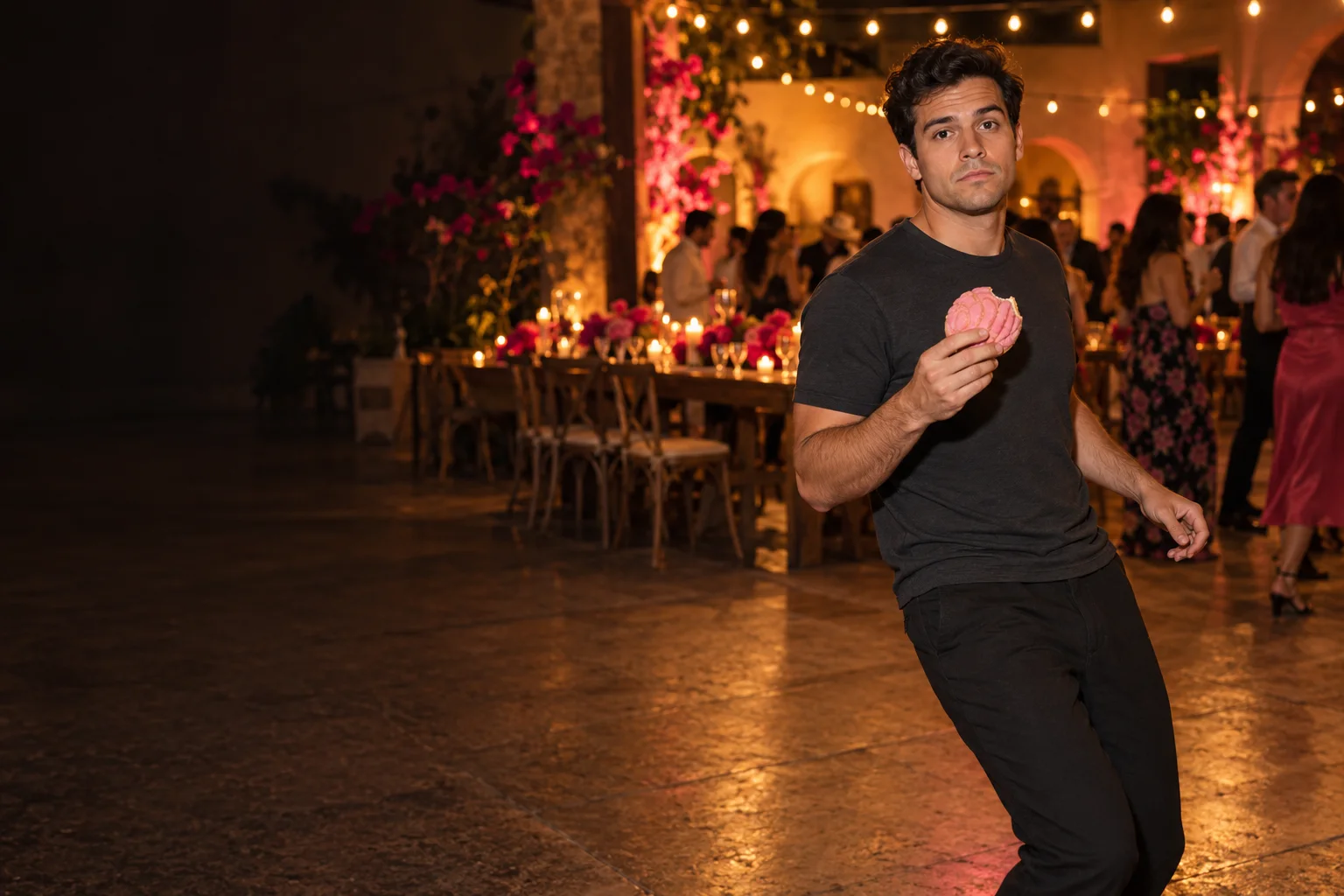
ONE PHOTO. FIVE BEATS. YOUR MOMENT.
Walk in. Bite a concha. Hold the stare. Dance out. Turn one photo into your own Bby Wow moment, from the party entrance to the perfectly awkward exit.
AI concept artwork · not a generated video result · your photo guides your own character
One photo. Five beats.
Upload one adult portrait, choose a setting and make the walk-in, concha bite, deadpan stare and two-step exit your own.
Your Bby Wow performance
Your photo becomes the character in a new dance scene. The image here is concept artwork; your generated video will appear here.
THE ENTRANCE. THE BITE. THAT STARE.
The Bby Wow AI video maker plans five moments around your photo. Choose 15 seconds on a supported model for the full sequence, or a compact 5- or 10-second take.
Your character steps into frame with relaxed confidence. The photo guides the face, hair, clothes and accessories.
A shell-topped Mexican sweet bread becomes the prop. One unhurried bite sets up the joke.
Keep looking into the lens while chewing. The pause matters as much as the movement.
A loose arm swing leads into the turn. Keep the same character and setting through the transition.
Finish with a short dance away from the camera. Add your chosen sound after downloading.
The maker generates a fresh performance from your photo. Likeness, hands, bread details and timing can vary; the five beats are creative direction, not a frame-exact recreation.
Choose the setting in the maker. Each preset changes the surroundings while keeping your photo as the character reference.
Warm string lights, banquet tables and an open party floor give the entrance a home-video feel.
Neon, parked lowriders and a lively block-party backdrop bring the same deadpan performance outside.
A warm bakery counter and trays of conchas put the sweet-bread bite at the center of the scene.
NO CHOREOGRAPHY TO LEARN
A Bby Wow dance video maker from photo, right in your browser. Choose a scene and let the prepared motion prompt do the planning.
Use a well-lit photo of one adult, facing the camera with visible shoulders. Waist-up or full-body photos help the walk-in. JPG, PNG and WebP are supported up to 10 MB.
Choose Quince hall, Street night or Pan dulce kitchen. Use 9:16 for vertical posts or 16:9 for landscape. Select an available model and duration, then check the displayed credit cost.
Sign in to keep your jobs in task history. Watch the result, download an eligible MP4 and add your sound in TikTok, Reels or Shorts. Save the file within 7 days of it being ready.
BBY WOW AI VIDEO MAKER FROM PHOTO
A Bby Wow guy video maker puts the visual performance within reach of one photo: a confident entrance, an unexpected bite, an awkward stare and a dance away. The role can be yours, regardless of gender. A neutral expression and a clear view of the face give the model a useful starting point.
Choose vertical 9:16 to keep the face, bread and dance in a phone-friendly composition. Landscape 16:9 gives the party or bakery more room. The 15-second option gives the stare time to land; shorter versions condense the performance. The original song is not bundled. Add a sound available in your publishing app.
If you are looking for a Dime Dime Baby video maker, start with the same five-part scene: entrance, concha bite, stare, turn and exit. You do not need a reference clip or an editing timeline. The generator builds new action around your photo rather than inserting your face into fixed footage.
Pick one of three settings, preview and copy the prepared prompt, or add up to 180 characters of visual direction. Ask for warmer lighting, a particular outfit detail or a quieter background. Keep one person in the photo and leave room around their shoulders; cropped faces and group photos make a coherent full-body performance harder.
Compare prepaid credits for AI image generation, prompt-based editing, and image-to-video clips. Video credit costs increase with duration. Credits last 365 days with no auto-renewal.
Standard: — credits / 5s · Pro: — credits / 5s. A 10-second video uses twice the credits; 15 seconds uses three times. Supported lengths depend on the model.
Starter
For first projects and occasional creative work
Creator
For regular image and video creation
Studio
Best value for teams and high-volume production
BEFORE YOUR BIG ENTRANCE
It turns one person photo into a new scene built around five actions: walk in, bite a concha sweet bread, hold a deadpan stare, turn and dance away. Choose a party hall, street night or bakery setting. The hero image is original concept artwork, not a video sample.
Choose one adult with a clear, uncovered face, looking toward the camera. Waist-up or full-body photos with even lighting and visible shoulders work best. Avoid group shots, sunglasses and heavy filters. Use JPG, PNG or WebP up to 10 MB, at least 300 × 300 px, with an aspect ratio of 0.4–2.5.
Both search phrases describe the visual idea supported here: a walk-in, a sweet-bread bite, a camera stare and a short dance exit. Choose the same scene presets and add the sound you want in your publishing app after downloading.
Yes, when a supported Standard or Pro model is available. The full sequence supports 15 seconds; compact 5- and 10-second options are also available. Seedance options support 5 or 10 seconds. Choose 9:16 vertical or 16:9 landscape. The maker shows the selected model, supported length and current credits before generation.
The original song and recording are not bundled. The scene prompt requests a silent performance. After downloading an eligible MP4, add the sound in TikTok, Reels, Shorts or your editor using the audio available to your account.
Sign in to check eligibility for the shared free video preview. It is a short, watermarked 480p preview, with its duration shown in the maker; it is not the full 15-second performance. Unlocking that same preview for download costs the displayed credits. A full-length or higher-quality video is a separate paid generation.
This site uses credits. The exact cost depends on the selected model and length and appears before generation. At the same tier, 10 seconds uses twice the credits of 5 seconds, and 15 seconds uses three times. Failed paid tasks return their generation credits automatically.
Use the same account to return to your task history and resume unfinished jobs. Finished videos remain available for 7 days after they are ready. Download eligible files in time: expired videos cannot be played, unlocked or downloaded.
Use your own adult photo or one you have permission to animate. The prompt asks the model to preserve face, hair, clothing and accessories, but likeness and movement can vary. It generates a new performance, so it cannot guarantee an exact face, dance or frame-by-frame match.
It is an independent creative AI video maker, with no artist or rights-holder endorsement. It does not require a CapCut template or use the original video or recording. Your photo and the selected scene guide a newly generated clip.
Independent creative template · use adult photos you own or have permission to animate · AI character details and motion vary.