
01
Meet the camera
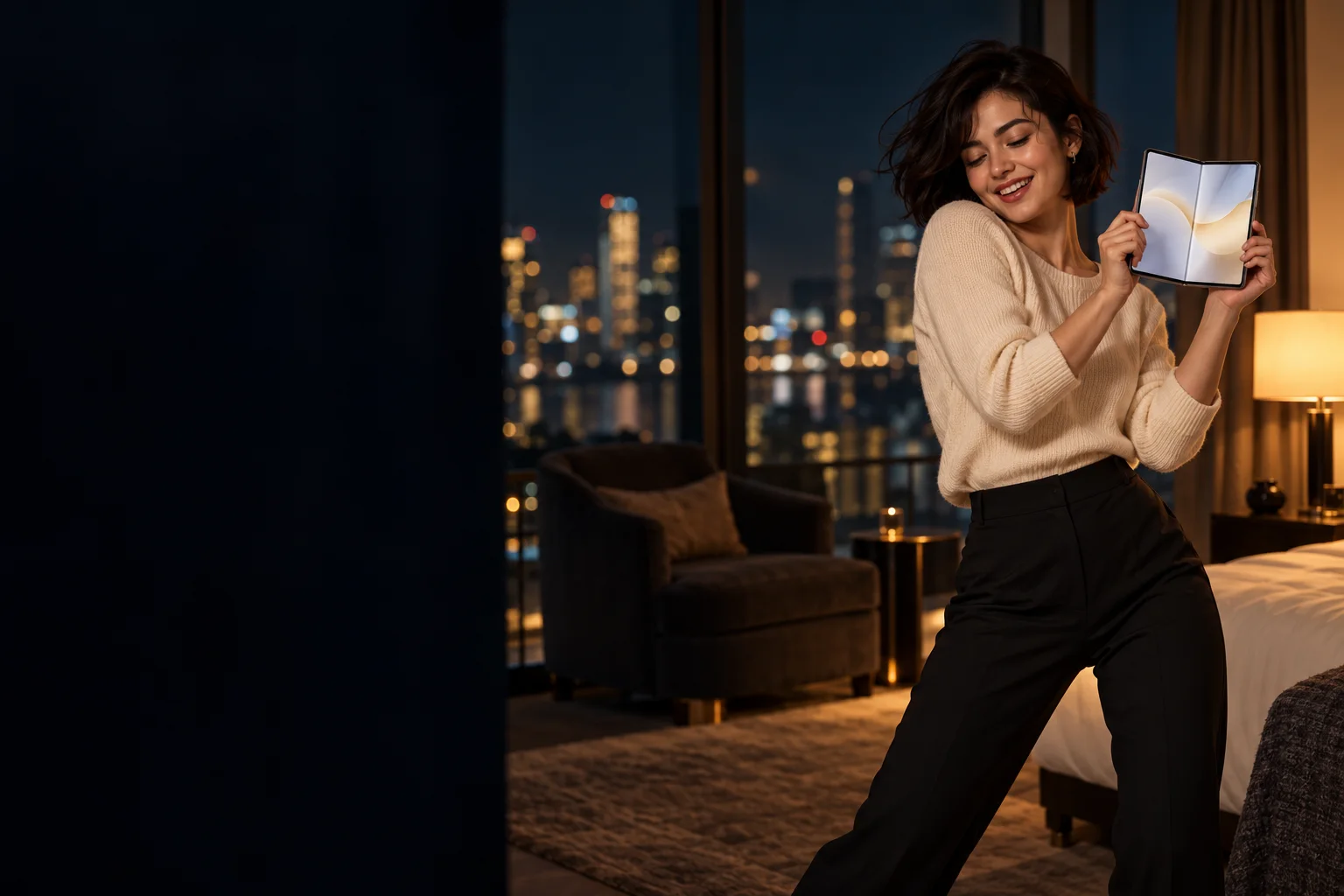
Your character leans toward the lens with the folded phone in hand. A clear portrait guides the face, hair and outfit.
ONE PHOTO. ONE PHONE. YOUR DANCE.
Lean in. Unfold it. Toss it. Dance. Put your photo at the center of a playful foldable-phone performance, with a hotel skyline behind you.
AI concept artwork · your video is generated from your photo
One photo. Four beats.
Upload one adult portrait, choose your room and create a close-up, foldable-phone reveal, toss and dance.
Your Kupi dance performance
Your photo guides the dancer in a fresh phone-unfolding scene. This image is concept artwork; your generated video will appear here.
CLOSE-UP. UNFOLD. TOSS. DANCE.
The iPhone Kupi Dance AI video maker gives your photo a four-beat performance. Choose 15 seconds for the full routine, or a compact 5- or 10-second take.
Your character leans toward the lens with the folded phone in hand. A clear portrait guides the face, hair and outfit.
Open a generic foldable phone toward the camera. The oversized screen is the visual punchline.
Step back, sway and toss the phone upward before catching it. Leave time for the movement in the 15-second version.
Finish with a relaxed shoulder groove and a playful pose. Add your chosen sound after downloading.
Each run creates a new AI performance. Facial likeness, fingers, phone geometry, choreography and timing can vary; this is creative direction rather than a frame-exact recreation.
Keep the four-beat idea and change the atmosphere. Pick your setting directly in the maker.
A warm armchair, tall windows and distant city lights set up the classic late-night room mood.
Purple and blue accents give the phone reveal and shoulder groove a brighter, nightlife feel.
A simple backdrop keeps attention on the face, expanding screen and playful phone toss.
NO PHONE TRICKS TO LEARN
An iPhone Kupi dance video maker from photo, right in your browser. Upload a portrait and choose the mood; the prepared sequence takes care of the scene planning.
Choose one adult, facing the camera in even light, with visible shoulders and hands if possible. JPG, PNG and WebP are supported up to 10 MB. Use your own photo or one you have permission to animate.
Choose Hotel night, Neon suite or Clean studio. Use 9:16 for a phone screen or 16:9 for a wider scene. Select an available model and length, check the credits and confirm photo consent.
Watch progress in your account history and download an eligible MP4 when ready. Add licensed audio in your publishing app. Save finished videos within 7 days of completion.
IPHONE KUPI DANCE AI VIDEO MAKER
The phrase “iPhone kupi” means “buy me an iPhone” in Russian. This visual take on the meme puts an unexpectedly large foldable phone in a hotel-room dance. A single photo supplies the character; the generator creates the setting and movement.
Choose 9:16 to frame the close-up, open phone and dance vertically. The full 15-second option leaves room for all four beats. Shorter options condense them. The output is silent, so add a licensed version of the sound in TikTok, Reels, Shorts or your editor.
You do not need to own a foldable phone, film a dance or assemble a CapCut timeline. Start with one portrait, select a scene and use the prepared motion direction. This maker generates a new performance instead of replacing a face inside the original footage.
Use a sharp, front-facing photo with an uncovered face. Avoid group shots, masks, sunglasses and tight face crops. Add up to 180 characters of visual detail for lighting, outfit or background; the close-up, unfold, toss and dance remain the core direction.
Compare prepaid credits for AI image generation, prompt-based editing, and image-to-video clips. Video credit costs increase with duration. Credits last 365 days with no auto-renewal.
Standard: — credits / 5s · Pro: — credits / 5s. A 10-second video uses twice the credits; 15 seconds uses three times. Supported lengths depend on the model.
Starter
For first projects and occasional creative work
Creator
For regular image and video creation
Studio
Best value for teams and high-volume production
BEFORE YOU UNFOLD
It creates a fresh performance from one adult portrait: lean toward the camera, unfold a generic foldable phone, toss and catch it, then keep dancing. Choose a hotel room at night, a neon suite or a clean studio. The hero image is concept artwork rather than a generated video sample.
Use one adult with a clear, uncovered face looking toward the camera, evenly lit and with visible shoulders. Waist-up or full-body photos give useful outfit context. Avoid groups, sunglasses, masks and heavy filters. Upload JPG, PNG or WebP up to 10 MB, at least 300 × 300 px, with an aspect ratio of 0.4–2.5.
“iPhone kupi” is Russian for “buy me an iPhone.” The dance meme pairs a playful phone reveal with a short routine. This independent maker uses that visual idea for a newly generated clip; it does not provide the original music or footage.
Yes, when a supported Standard or Pro model is available. Choose 15 seconds for the full routine, or 5 or 10 seconds for a compact take. Seedance options support 5 or 10 seconds. The maker shows available durations, format and the current credit cost before generation.
The original song and recording are not bundled. The generation direction requests silent output. After downloading an eligible MP4, add audio licensed for your account in your publishing app or editor.
Video generation uses prepaid credits. Sign in, choose a model and duration, and review the exact cost before you generate. Buy a credit pack through checkout when needed. Completed videos can be played and downloaded from your account history. Failed or canceled generation tasks automatically return their generation credits.
The maker uses this site’s credit system. The selected model and duration determine the cost shown before generation. At the same tier, 10 seconds costs twice as much as 5 seconds and 15 seconds costs three times as much. Failed paid tasks return their generation credits automatically.
Sign in with the same account to return to task history and resume unfinished jobs. Finished videos remain available for 7 days after completion. Download eligible files before expiry; expired videos cannot be played, unlocked or downloaded.
The photo guides the character’s face, hair and outfit, while the scene direction guides the four actions. AI likeness, phone details, movement and timing vary. It does not copy a source video frame by frame or guarantee an exact face match. Use yourself or an adult who has agreed to the video.
No. The online maker runs in your browser and generates the foldable-phone scene from your photo. It is an independent creative tool, with no Apple or artist endorsement, and does not require the original clip or a CapCut template.
Independent creative template · animate adult photos you own or have permission to use · AI likeness and motion vary.
ONE PHOTO. ONE PHONE. YOUR DANCE.