
01
Face the lens
A handheld, wide-angle view puts your face in front of blue lockers. Solo requests a tuxedo; Duo requests a white T-shirt for the officer.
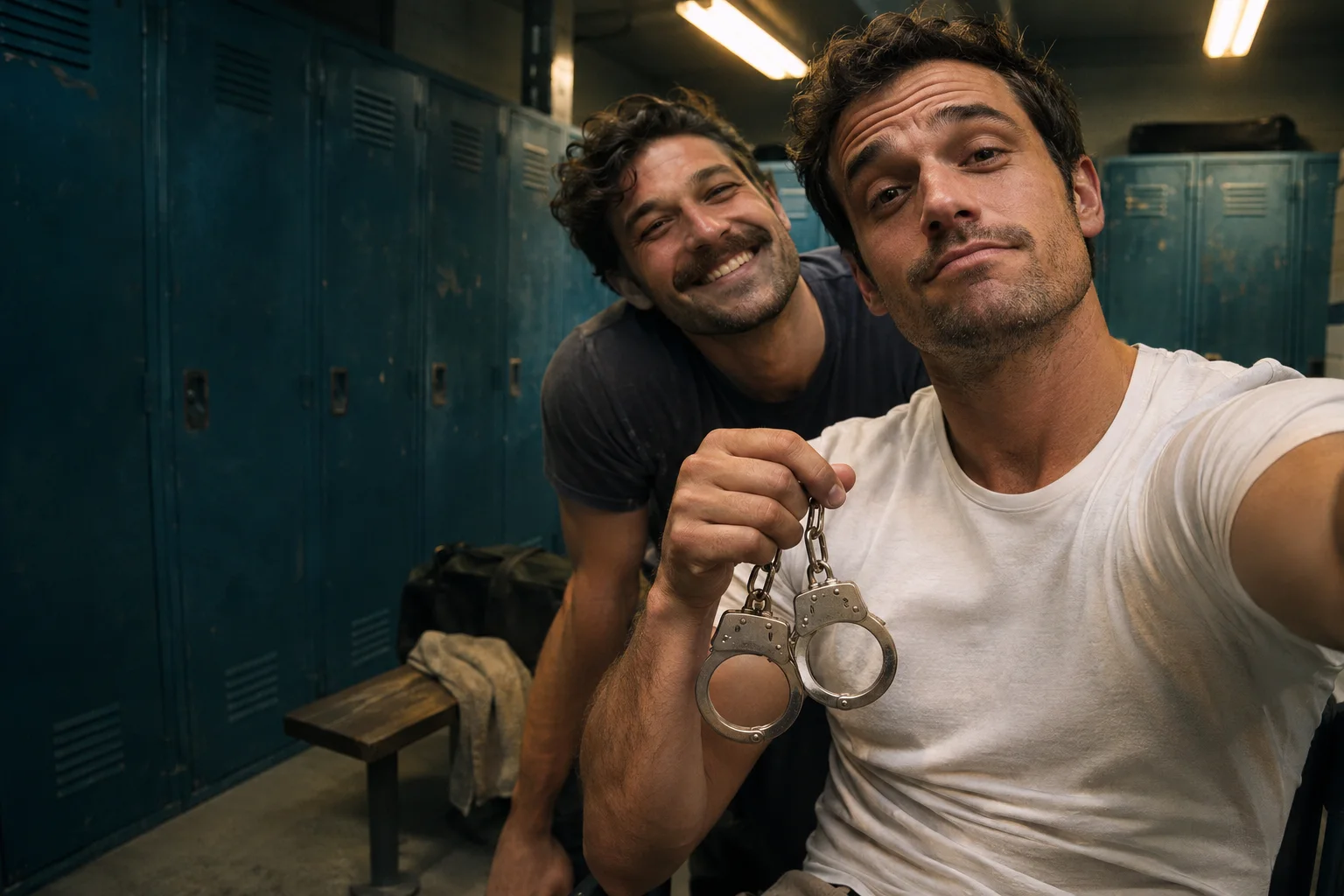
YOUR PHOTO. THE LOCKER ROOM MOMENT.
Blue lockers. A close-up gear check. You in the starring role. Turn one portrait—or two with a friend—into an original End of Watch inspired AI video.
AI concept artwork · not a generated video sample
End of Watch Locker Scene AI Video Maker
Choose Solo or Duo, add clear adult portraits and create an original End of Watch inspired gear-check video.
Your locker scene starts here
Your generated clip will appear here. This is concept artwork, not a generated video sample.
THE LOCKER ROOM GEAR CHECK
The End of Watch locker room trend borrows the close camera, blue lockers and partner cameo from the film’s gear-up scene. This maker generates a fresh interpretation around your photos.
A handheld, wide-angle view puts your face in front of blue lockers. Solo requests a tuxedo; Duo requests a white T-shirt for the officer.
In Duo, the second adult leans into the shot behind the officer. Separate portraits keep the two roles distinct.
The prepared scene direction moves through inert prop gear, a torch, handcuffs and spare magazines, ending with a deadpan look.
AI recreates the idea rather than replacing faces in a fixed movie clip. Likeness, props, camera movement and timing can vary. No original film audio is included.
FROM PORTRAIT TO LOCKER SCENE
The scene direction is ready. Add your people, choose the format and review the price before generating.
Solo takes one adult portrait. Duo needs two separate adult portraits: the officer first, their partner second. Use clear, evenly lit faces without sunglasses.
Pick 5 or 10 seconds and 16:9 landscape or 9:16 portrait. Select an available Kling O3 or Seedance option; the button shows the current credit cost.
Sign in and confirm permission. Follow the job in your history and download an eligible MP4 within 7 days of completion. Add licensed audio in your editor.
ONE PERSON OR YOUR PARTNER TOO
One adult portrait guides a solo tuxedo scene. Try a sharp head-and-shoulders photo for a personal meme, profile intro or pre-game joke.
Add your partner’s separate adult portrait for a friend or couple scene. The first photo is the officer; the second is the person leaning in behind them.
JPG, PNG or WebP, up to 10 MB each, at least 300 × 300 px, aspect ratio 0.4–2.5. Use your own photos or get permission from every adult shown.
MABEL END OF WATCH LOCKER SCENE AI VIDEO MAKER
The Mabel End of Watch Locker Scene AI Video Maker turns portraits into a short cinematic gear-check scene. There is no movie clip to upload and no long action prompt to write.
Choose vertical 9:16 for a mobile feed or 16:9 to give the lockers and partner more room. A Solo clip works as a personal intro, a shift-start joke or a gamer’s loadout post.
Let one person play the officer and the other lean into the background. Use two individual photos instead of a group shot, then add your own caption for a friend, couple or team post.
Preview the action prompt and add up to 180 characters of visual direction. The AI generates new motion from your references. Clips are silent; add music or dialogue you have rights to use.
Compare prepaid credits for AI image generation, prompt-based editing, and image-to-video clips. Video credit costs increase with duration. Credits last 365 days with no auto-renewal.
Standard: — credits / 5s · Pro: — credits / 5s. A 10-second video uses twice the credits.
Starter
For first projects and occasional creative work
Creator
For regular image and video creation
Studio
Best value for teams and high-volume production
BEFORE YOU ENTER THE SCENE
It generates an original locker room gear-check video from your portrait references, inspired by the End of Watch trend. Choose a solo tuxedo scene or a two-person officer-and-partner scene. It does not edit the original film clip and is independently operated.
Solo needs one adult photo and requests a tuxedo with bow tie. Duo needs two separate adult photos: the officer in the first slot and the partner in the second. The officer wears a white T-shirt while the partner leans into the scene.
No. Duo requires two separate portraits of different consenting adults. If you only have one photo, choose Solo. Use an unobstructed face with even lighting; avoid group photos, sunglasses and heavy filters.
Choose 5 or 10 seconds and 16:9 landscape or 9:16 portrait. Depending on site configuration, the maker offers Kling O3 Standard, Kling O3 Pro and Seedance at 720p or 1080p. Available options and their live credit prices appear before generation.
Generation uses paid credits. The price depends on the selected model and duration, and the button shows the current total before you start. Failed paid tasks automatically return generation credits.
No. This tool generates a new interpretation, not a frame-by-frame face swap of the film. Videos are silent and include no original dialogue or song. Add audio you are allowed to use in your publishing app. AI likeness, props and timing may vary.
Use photos of consenting adults only. This locker scene maker does not support children, pets or public figures. Confirm permission for every uploaded portrait and follow the linked content requirements. Use separate JPG, PNG or WebP photos up to 10 MB each.
Sign in with the same account to see this scene’s task history and follow unfinished jobs. Completed videos remain available for 7 days after they are ready. Download before expiry; expired videos cannot be played or downloaded.
Independent AI creation tool. Trend and film names describe creative references, not an endorsement. Use portraits with permission; AI results vary.